Dataset review
Preview imports, inspect fields and quality information, and reconcile accepted or skipped rows before trusting the result.


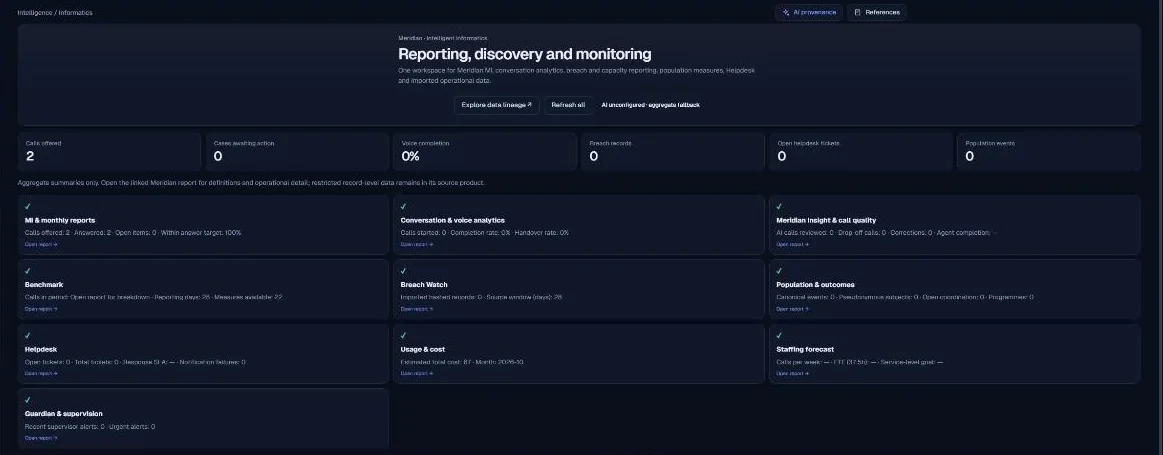
Operational reporting, forecasting and monitored signals
Turn operational records into reviewable measures and planning estimates. Meridian Intelligence brings data quality, aggregates, forecasts and monitors into the same discussion, with assumptions and coverage kept visible.
Intelligence supports teams asking how a service is performing, where demand is changing and what should be investigated next. Data can come from authorised imports and configured operational feeds or module projections. The workflow starts by understanding the dataset, not by asking a model to invent an explanation. Reports and forecasts remain evidence for a person’s decision rather than automated staffing, purchasing or clinical instructions.
Service managers, analysts and operational leaders reviewing activity, capacity, performance and data quality. Each dataset’s purpose, source and access rules need agreement.
Preview imports, inspect fields and quality information, and reconcile accepted or skipped rows before trusting the result.
Build counts, sums and averages over appropriate dimensions. Conversation and service measures need clear denominators and source coverage.
Use explicit time buckets and a bounded horizon. The reviewed forecasting function compares simple models against held-out observations.
Explore monitored conditions and selected AI-assisted summaries where configured. Summaries should remain tied to the underlying aggregates and their limitations.
Receive an authorised feed, module projection or operator upload.
Check mapping, types, dates, missingness and duplicate-handling results.
Create the operational measure using a documented period and denominator.
Compare forecast candidates or evaluate a monitor against the selected data.
Interpret the result with assumptions, quality warnings and the responsible service owner.
Datasets with quality metadata, operational aggregates, forecast series, back-test measures and monitored signals. Outputs are useful only alongside source coverage and the period and field definitions used to create them.
The explanation below describes the reviewed implementation and configuration boundaries. It does not assert a completed production deployment.
| Component | Technical mechanism | What to verify |
|---|---|---|
| Data preparation | Dataset functions profile fields and quality and retain source/mapping metadata. | CSV import support is not evidence of a tested live connector to every named enterprise system. |
| Aggregation | The reviewed code implements deterministic count, sum and average operations before model-assisted explanation. | Aggregate outputs still need disclosure review; aggregation does not automatically make every dataset anonymous. |
| Time series | Forecasting supports daily, weekly or monthly buckets, with a 1–12-period horizon and at least six non-empty observed periods. | The reviewed function caps observed periods and excludes invalid values; sparse or changing processes can still produce poor estimates. |
| Model selection | Last value, a three-period moving average and linear trend are compared using a rolling holdout and mean absolute error. | This is a transparent univariate operational forecast, not a clinical, causal or general deep-learning predictor. |
| Uncertainty | Outputs include back-test measures, candidate scores and an approximate residual-based range. | An approximate interval is not a guarantee, target or explanation of why demand changes. |
| Runtime and models | Informatics services and monitors run inside the composed application; selected summaries use the shared AI gateway. | Review per-task payloads and provider settings. A forecast function’s aggregate-only output is not a blanket guarantee about every model task. |
Reconcile imported records, define denominators, test low-volume periods and review dataset access. Separate observed values from predicted values. A person should consider calendar effects, changed processes and missing sources before turning a forecast into an operational decision.
Meridian is a composed modular application. Customer-specific Azure resources, Entra configuration, routed storage and the shared AI gateway form part of the deployment design. Actual role coverage, data flows, provider regions, retention and recovery must be checked in the target environment.
The supplied source review identifies v23.1.0 Helpdesk Plus as its runtime baseline. It records incomplete targeted tests and no live Azure or Graph verification. Read the dated assurance summary before interpreting source capabilities as production readiness.
The inspected time-series calculation compares explicit statistical baselines. Optional AI-assisted narrative is a separate capability.
The described forecasting function produces operational planning estimates. No clinical prediction claim is made.
That depends on the agreed feed, import or API integration. A supported file format does not establish a live connection in your environment.
Based on the supplied design archive and local v23.1 source baseline. These references identify the reviewed implementation; they are not links to a publicly exposed code repository.