Three transcript routes
Use browser speech transcription, paste a consultation transcript, or select a finished Meridian call/recording when the source-list API is available.

New care-coordination range
 Local product demonstrator
Turn a consented consultation transcript into editable structured fields and a clinician-reviewed note in the selected local case.
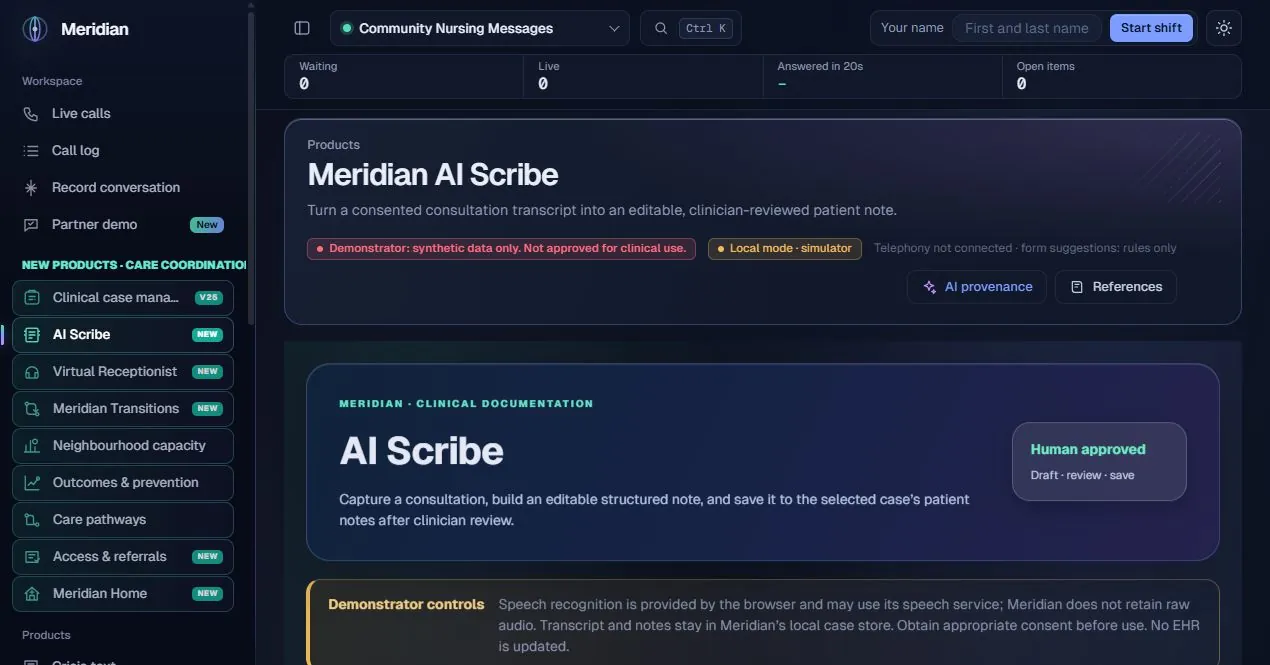
AI Scribe supports the documentation work around a consultation: capturing spoken wording, choosing a note structure, checking the draft and deciding what to save. It is designed to keep the transcript and clinician’s judgement visible rather than presenting a generated note as a completed clinical record.
The actual assistance
By default, a local transcript organiser uses labelled lines and conservative phrase matching to arrange supplied statements into fields. It does not infer a diagnosis. When a configured Meridian language model is available, an operator can separately consent to model-assisted drafting. That model receives the supplied transcript for the drafting task; the clinician must verify every resulting field. Speech recognition is a browser service and is separate from note drafting.
Human ownership
Documentation support only: no diagnosis, prescribing, urgency classification or EHR write-back. The current local source-list request returned an error during review, so saved-call import remains dependent on that endpoint; paste-based and browser-capture interfaces are shown separately.
Use browser speech transcription, paste a consultation transcript, or select a finished Meridian call/recording when the source-list API is available.
Confirm the required consultation consent before microphone capture or draft generation. Model use has a separate opt-in.
Choose primary-care, SBAR, wellbeing or follow-up consultation structure for the documentation task.
Review presenting problem, history, findings, assessment, plan, medications mentioned and allergies mentioned. Uncertainties remain visible.
The default organiser preserves supplied statements; missing details can stay blank. Optional configured model assistance creates a draft for correction.
Choose the local case/patient reference before saving, so the note is attached deliberately rather than matched by name.
Save an encounter draft separately when it is not ready for patient notes. A patient-note save requires clinician review confirmation.
Choose whether the complete transcript is included in the special patient note. This is a distinct data-retention decision.
Keep the note title, author, source, time, consent/review flags and associated local timeline event.
Inspect saved patient notes for the selected case and review their documented source and status.
Select the case and note template.
Confirm consent, then transcribe, paste or import.
Use the local organiser or explicitly enabled model assistance.
Correct omissions and wording against the consultation.
Choose draft or reviewed patient note, with transcript inclusion explicit.
| Area | Mechanism and scope |
|---|---|
| Input and speech | Browser speech recognition may use its speech provider. Meridian does not retain raw microphone audio in this implementation. |
| Local organiser | The source uses labelled-line extraction and phrase matching, preserving transcript statements rather than generating a clinical conclusion. |
| Optional model task | The configured Meridian provider is used only after separate model consent and when model support is available. |
| Case persistence | Reviewed notes are written to the selected local case with provenance. This operation is not an EHR interface. |
Content checked against the v25.2.0 source and visible local workspace on 30 October 2026. This is a product description and interface inspection, not an end-to-end deployment or clinical validation.
routes/ai_scribe.py; static/new-care-products.js; RELEASE_NOTES_v25.2.0.md
Review assurance scopeThe current implementation uses browser transcription and does not retain raw microphone audio in Meridian. Browser speech processing still needs to be assessed for the intended deployment.
No EPR write-back is provided in this release. The reviewed note is saved into a selected local Meridian case.