Template-led creation
Start from after-an-episode, ongoing-health-review or medication-follow-up templates present in the local demonstrator.

New care-coordination range
 Local product demonstrator
Turn a care-team follow-up plan into owned milestones, due dates and visible human-recorded progress.
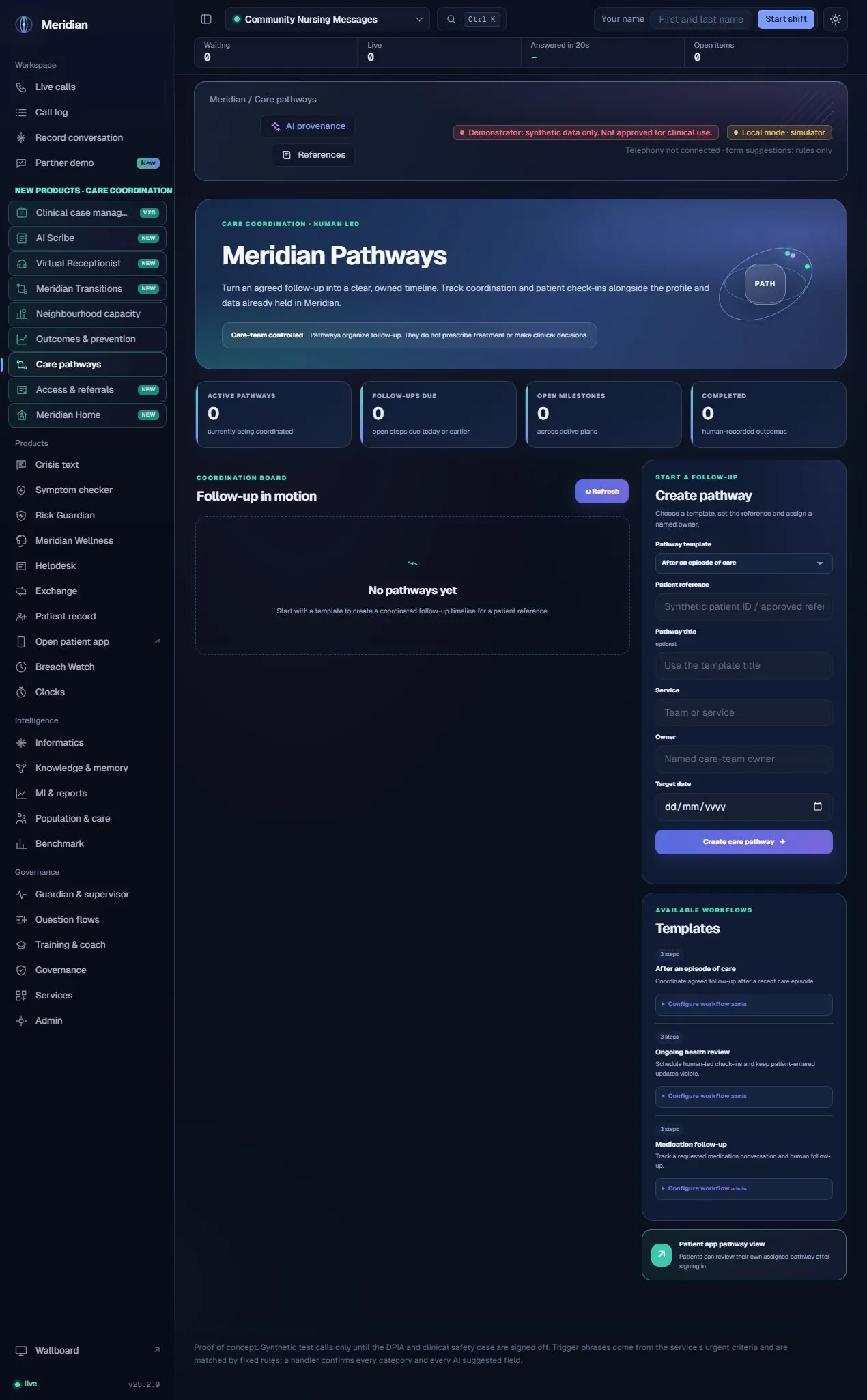
Pathways organises the coordination around an agreed episode of care. A service chooses a template, sets a reference and assigns a named owner, then tracks the planned steps. It is a way to make responsibilities visible, not a system that chooses treatment for a person.
The actual assistance
The current pathway engine uses configured templates, date offsets and human-entered status. A language model does not select a care pathway, prescribe a treatment or complete a milestone. The workflow can be used beside AI-assisted documentation and governed knowledge, while the agreed plan and its decisions remain care-team controlled.
Human ownership
A human-led local coordination demonstrator. Template availability does not establish clinical approval, automatic scheduling or a live connection to another care system.
Start from after-an-episode, ongoing-health-review or medication-follow-up templates present in the local demonstrator.
Record patient reference, optional title, service, owner and target date when creating a plan.
Show planned follow-up steps and their due-date context within each active pathway.
Record milestone status and supporting coordination notes rather than assuming a task completed automatically.
Maintain the pathway’s operational status, including completed or cancelled state as the work changes.
Inspect active pathways, follow-ups due, open milestones and human-recorded completions.
Edit the template name, description, step labels, offsets and supported step kinds; mark a template active or inactive.
The local patient app can show an assigned pathway after sign-in. Patient identity and deployment access still need validation.
Open milestones can contribute to the Transitions queue so follow-up is visible beyond the individual pathway page.
A responsible team decides the plan outside the template mechanics.
Set the reference, owner, service and target date.
Build the configured timeline from the chosen template.
Staff review and update step outcomes and notes.
Maintain plan status and consider outstanding follow-up.
| Area | Mechanism and scope |
|---|---|
| Configured steps | Templates define labels, relative day offsets and step kinds such as coordination, patient-app, data-review and review. |
| Local plan state | Pathway and milestone updates are stored through explicit API actions and associated local audit activity. |
| Derived coordination | Active open milestones can be read by the neighbourhood task service. |
| Clinical separation | Workflow templates are not licensed clinical pathways or autonomous decision-support rules. |
Content checked against the v25.2.0 source and visible local workspace on 30 October 2026. This is a product description and interface inspection, not an end-to-end deployment or clinical validation.
routes/pathways.py; static/pathways.js; RELEASE_NOTES_v24.8.0.md
Review assurance scopeNo. The responsible service chooses and approves the plan. The module organises its follow-up steps.
The admin configuration supports template wording, relative dates, step kinds and availability for new plans.