Referral intake
Record patient reference, service, referral type, received date, source, owner and summary.

New care-coordination range
 Local product demonstrator
Track referral completeness, ownership, contact attempts, waitlist status and recorded appointment offers in a visible worklist.
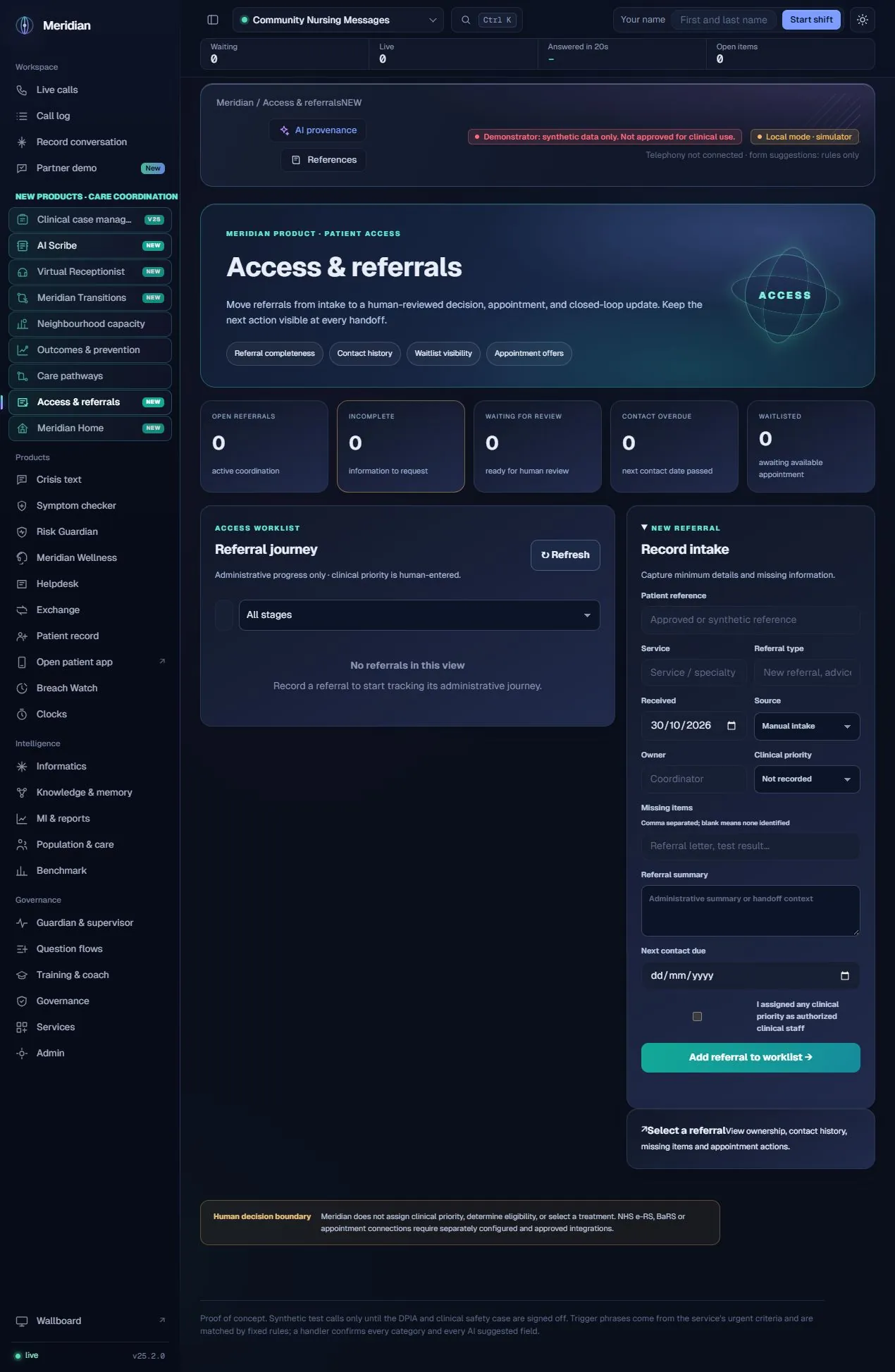
Access helps teams see where a referral is in its administrative journey and what information or action is still needed. A service can record intake, keep contact history, identify incomplete records and track a locally recorded offer or outcome. Clinical priority is separately entered and confirmed by authorised staff.
The actual assistance
This implementation uses explicit workflow state and completeness fields. A model does not assign urgency, determine eligibility, choose a treatment or accept a referral. Intake can originate from a reviewed Voice workflow, but the source label in the form is not evidence that an external connector is running.
Human ownership
Administrative coordination only. No autonomous clinical triage, eligibility decision, external referral transmission or live appointment booking is provided.
Record patient reference, service, referral type, received date, source, owner and summary.
Label manual, voice, patient-app, e-Referral Service or other-system origins as applicable; labels do not execute integrations.
Record missing required items and track incomplete or returned referrals for follow-up.
Filter received, incomplete, ready-for-review, accepted, waitlisted, booked and closed states.
Allow an authorised person to record priority with an explicit confirmation; no model chooses it.
Record contact attempts and outcomes, retain who acted and when, and maintain the next contact due date.
Record offered slot details and their local outcomes without claiming a live booking was made.
Show open referrals, incomplete records, waiting-for-review items, overdue contact and waitlisted work.
Referral gaps, ready-for-review state and contact dates can become tasks in the shared coordination queue.
Capture the referral’s administrative context.
Identify missing items and the next contact date.
A named person reviews the referral and any priority.
Record contacts, offers and stage changes.
Retain the local outcome and any further handoff.
| Area | Mechanism and scope |
|---|---|
| Explicit states | The Access routes validate referral fields and stage changes and persist the local record. |
| Activity records | Contact and slot-offer events retain actor/time metadata alongside the referral. |
| Priority confirmation | Clinical priority is a human-entered field with an explicit staff confirmation path. |
| Connector boundary | NHS e-RS, BaRS and live scheduling require separately approved interfaces; choosing a source label does not connect them. |
Content checked against the v25.2.0 source and visible local workspace on 30 October 2026. This is a product description and interface inspection, not an end-to-end deployment or clinical validation.
routes/access.py; static/access.js; RELEASE_NOTES_v24.7.0.md
Review assurance scopeNo. It records the declared origin. A live integration requires its own approved implementation.
No. The current workflow requires authorised staff to enter and confirm clinical priority.