Web and voice interface
Use a chat interaction or browser speech input, with browser voice output where supported.

New care-coordination range
 Local product demonstrator
Answer approved service questions, capture requests and prepare a clear handoff through a web or browser-voice reception experience.
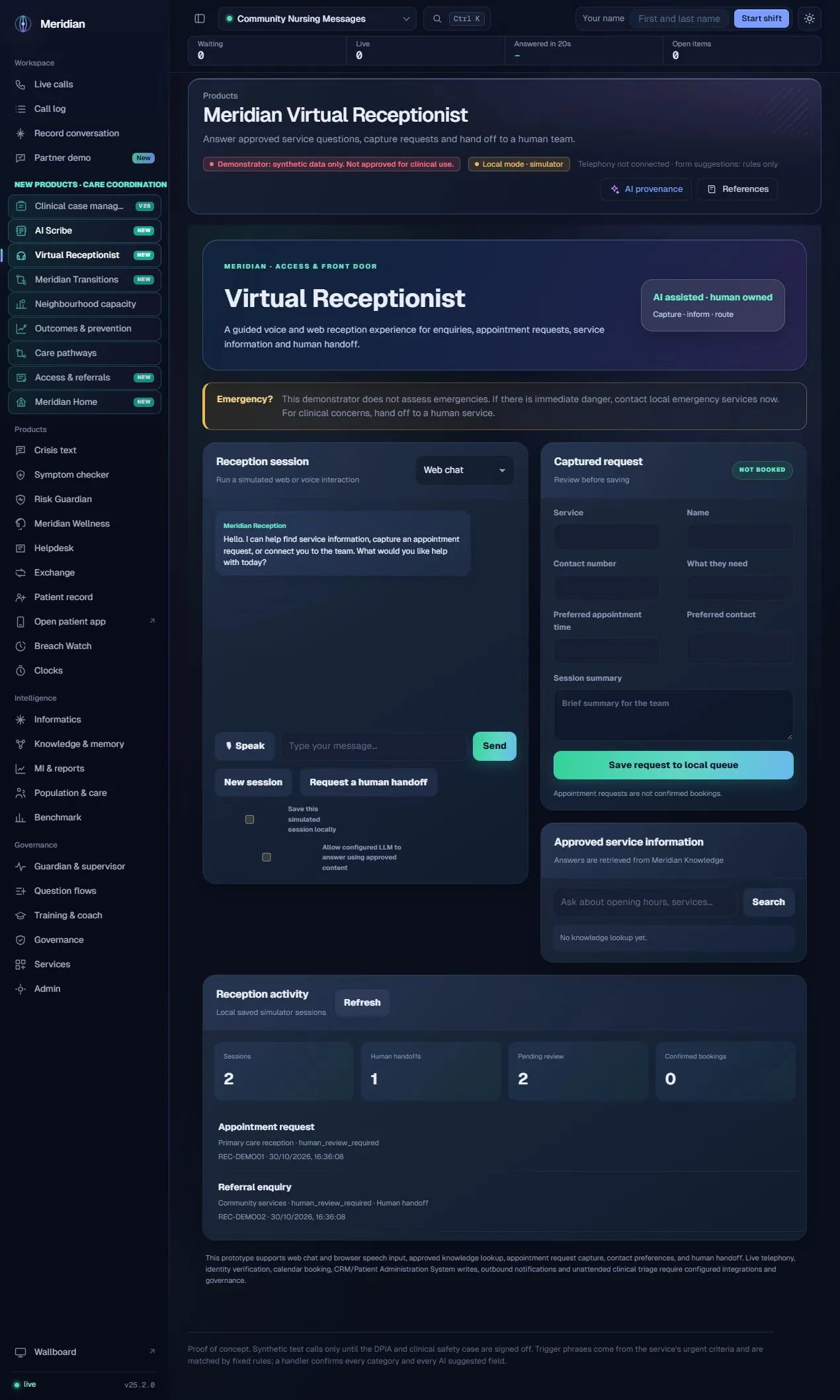
The receptionist helps a visitor explain what they need and gives the team a structured request to review. It separates service information, appointment preferences and contact capture from the actual authority to book, verify identity or make a clinical decision.
The actual assistance
Service questions are answered using retrieved, approved public-facing Virtual Agent knowledge. The interface displays references. If the operator separately enables the configured language model, it can phrase an answer from those retrieved passages. Unmatched questions and requests for a person are directed to human review. Request capture and fixed emergency wording are bounded workflow behaviour, not autonomous clinical triage.
Human ownership
Appointment and arrival requests are not confirmed bookings or verified check-ins. This is a synthetic local reception demonstrator; unattended clinical triage and external service actions are not provided.
Use a chat interaction or browser speech input, with browser voice output where supported.
Capture appointment requests, arrival/check-in requests, referral enquiries and prescription enquiries for review.
Collect name, callback number, preferred appointment time, preferred contact route and a session summary.
Look up opening hours and other service information from the permitted approved knowledge scope; display retrieved source passages.
Allow configured model assistance explicitly for answers grounded in the retrieved approved content.
Request a person directly; route unsupported knowledge questions into the human-review path.
Recognised emergency wording receives a fixed response and handoff boundary. The product does not determine clinical urgency.
Choose whether the simulated session may be saved. Review captured fields before adding the request to the local queue.
Inspect saved simulator-session counts, human handoffs, pending review and the explicit confirmed-bookings count.
Start a fresh reception session without treating a previous visitor’s details as the next visitor’s context.
Choose web or supported browser voice interaction.
Capture the visitor’s wording and contact preferences.
Inspect approved references before presenting an answer.
Confirm request details and whether a person is needed.
Record a consented simulator request for human follow-up.
| Area | Mechanism and scope |
|---|---|
| Knowledge scope | Reception uses the approved, public-facing Virtual Agent content scope. A document merely existing in storage does not make it eligible. |
| Optional generation | Model-assisted answers use the configured Meridian provider after opt-in, with the retrieved passages as their answer context. |
| Local session storage | Saved simulator sessions enter the local application store and human-review queue. Counts describe that store, not a live contact centre. |
| Integration boundary | No live telephony, calendar availability, confirmed booking, outbound messaging or EPR connection is included. |
Content checked against the v25.2.0 source and visible local workspace on 30 October 2026. This is a product description and interface inspection, not an end-to-end deployment or clinical validation.
routes/ai_scribe.py, reception routes; static/new-care-products.js; RELEASE_NOTES_v25.2.0.md
Review assurance scopeIt captures a request and preferred time. An authorised scheduling integration and explicit booking confirmation would be needed to make a real appointment.
No. It uses approved service content and hands unsupported questions to a person rather than claiming an unrestricted answer.