Open coordination workload
Count tasks derived from the same referral, home-care and pathway sources used by Transitions.

New care-coordination range
 Local product demonstrator
Compare open coordination tasks with locally entered team-capacity assumptions and make unconfigured workload visible.
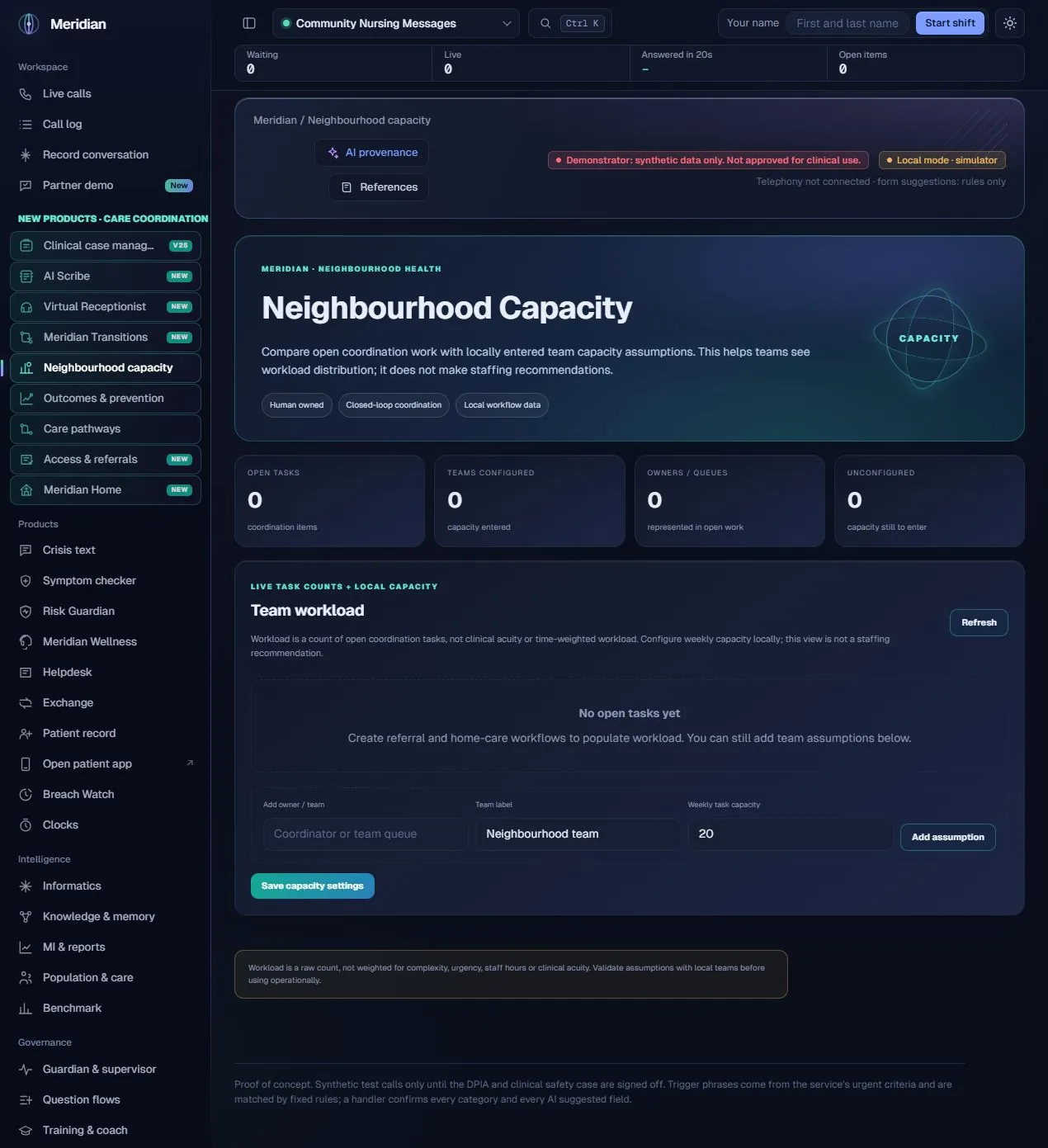
Capacity gives service managers a transparent starting point for discussing distribution of coordination work. It answers how many open tasks sit with an owner or team and how that raw count compares with a locally entered weekly capacity assumption. It keeps the assumption visible instead of presenting an unexplained resource recommendation.
The actual assistance
No generative model or autonomous workforce planner is used in this workspace. It groups open coordination tasks by owner or team and compares those counts with values entered by the service. Its role within the wider AI platform is to make downstream operational workload visible; it does not optimise staffing or make a clinical allocation.
Human ownership
Operational planning context only. Local assumptions must be validated with the team; apparent spare capacity is not proof that a service can accept more clinical demand.
Count tasks derived from the same referral, home-care and pathway sources used by Transitions.
Summarise where open work sits, including owners or queues that are not yet configured.
Enter a team label and a weekly task-capacity value that the service is prepared to review.
Add assumptions and explicitly save capacity settings so the comparison is repeatable.
Show where the current count is above the recorded assumption, without treating the threshold as a recommendation.
Distinguish absent capacity information from a configured zero or a team with no work.
Refresh the workload against current coordination state rather than relying on a static image of the queue.
Keep the raw-count basis visible: task complexity, clinical acuity, staff hours and time per task are not included.
Read coordination tasks from the existing local workflow state.
Count items by the recorded owner or team.
The service supplies weekly task capacity.
Show the task count against the saved assumption.
A person considers complexity, hours and missing work before acting.
| Area | Mechanism and scope |
|---|---|
| Aggregation | The neighbourhood capacity endpoint performs deterministic task grouping and count comparisons. |
| Configuration | Capacity assumptions are stored with update time and actor information in the configured application store. |
| Meaning of a count | One task is one coordination item. A count is not weighted by expected duration or care need. |
| Planning limits | There is no automatic rota generation, workforce optimisation or clinical staffing recommendation. |
Content checked against the v25.2.0 source and visible local workspace on 30 October 2026. This is a product description and interface inspection, not an end-to-end deployment or clinical validation.
routes/neighbourhood_ops.py, capacity and configure_capacity; static/neighbourhood-ops.js
Review assurance scopeNo. It is a visible comparison of raw task counts and locally entered assumptions.
Only work represented by the configured source workflows is counted. Offline work and other systems can make the view incomplete.