Four reporting windows
Choose 30, 90, 180 or 365 days and refresh the measures for the selected period.

New care-coordination range
 Local product demonstrator
Review referral flow, home-care participation and recorded coordination activity with their source and reporting window visible.
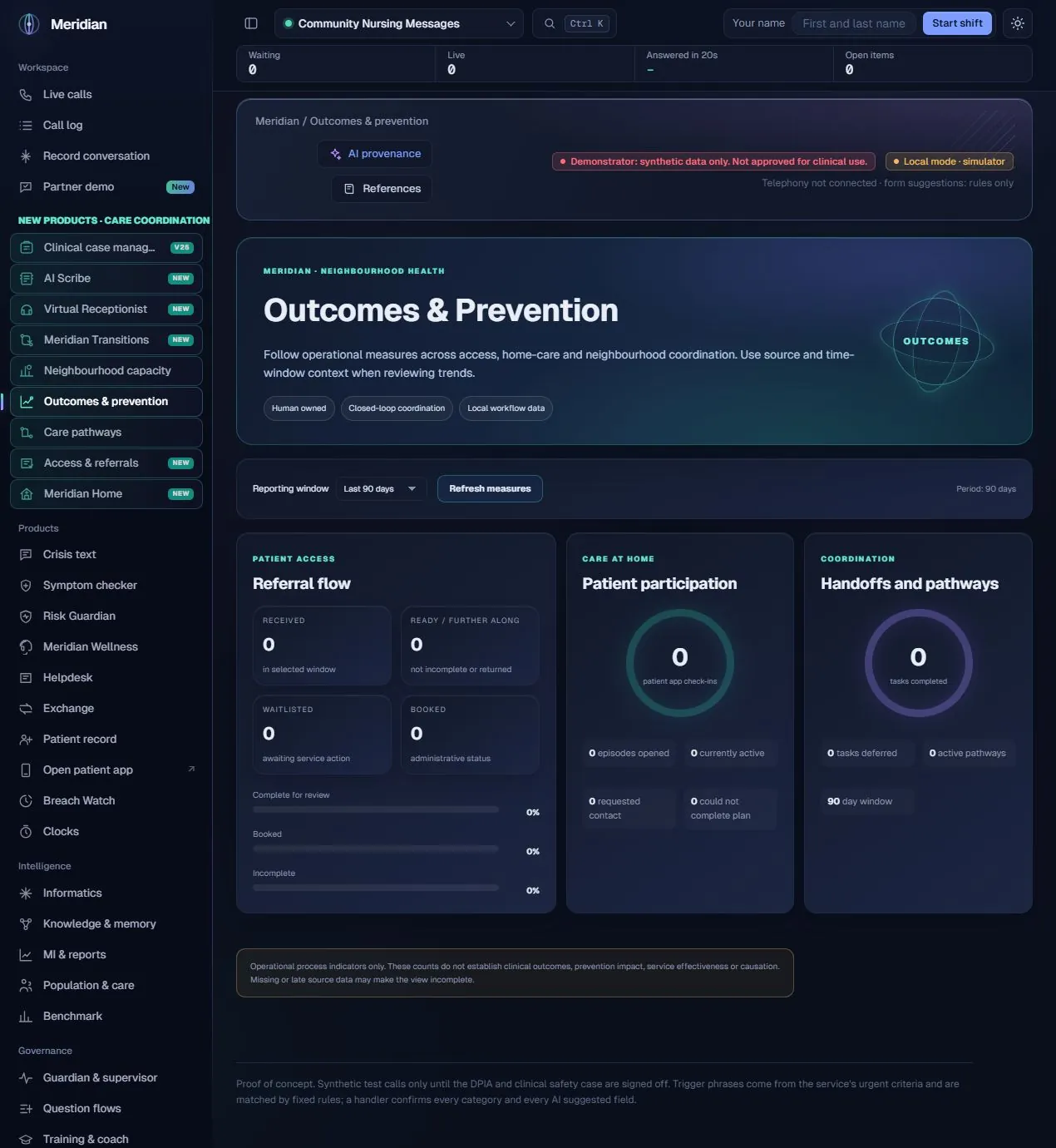
This workspace brings related operational measures into one discussion: what entered the referral process, what progressed, what remained incomplete, what patients recorded in the local app and what coordination work staff completed. It supports investigation and service review rather than claiming to establish a clinical outcome.
The actual assistance
The current measures are deterministic counts and percentages over the selected local stores and period. No model infers prevention impact, predicts an individual’s outcome or establishes causation. AI-assisted work elsewhere in Meridian can generate reviewed operational records, but these indicators remain a separate measurement step.
Human ownership
Despite the product name, these operational indicators do not prove improved clinical outcomes, prevented admissions, service effectiveness or causation.
Choose 30, 90, 180 or 365 days and refresh the measures for the selected period.
Inspect received referrals, records ready or further along, waitlisted items and administratively booked status.
Review percentages for complete-for-review, booked and incomplete referral records.
See episodes opened, currently active episodes and recorded patient-app check-ins.
Distinguish check-ins requesting contact and those recording that a plan could not be completed.
Count recorded task completions, deferrals and active pathways alongside the reporting-window label.
Combine related process indicators from Access, Home and neighbourhood coordination without treating them as a single patient-level model.
Keep missing data, late records, source coverage and the absence of causal evidence visible when interpreting trends.
Select the operational reporting window.
Load the available Access, Home and coordination records.
Produce explicit counts and denominators.
Inspect flow, participation and recorded staff activity.
Use the measures to ask questions about the process, not to infer a clinical effect.
| Area | Mechanism and scope |
|---|---|
| Windowed measures | The neighbourhood outcomes endpoint accepts the selected period and evaluates record dates where applicable. |
| Process indicators | Counts and percentages describe local administrative events and recorded participation. |
| Distinct measures | Some displayed values describe current state; the reporting labels and definition of each measure matter. |
| AI boundary | No predictive prevention model, clinical-effectiveness assessment or causal inference is implemented in this view. |
Content checked against the v25.2.0 source and visible local workspace on 30 October 2026. This is a product description and interface inspection, not an end-to-end deployment or clinical validation.
routes/neighbourhood_ops.py, outcomes; RELEASE_NOTES_v24.8.0.md
Review assurance scopeNot by itself. That requires a suitable evaluation design and validated outcome data, beyond these local process indicators.
No. They mean no corresponding activity was found in the available source records under the selected measure.